The Client Tool supports two types of users – system managers and data entry users. System managers can add, edit, and delete the profiles of other users using the user management utility, as well as determine whether passwords are required for login. A data entry user can modify his or her personal password and contact information using the user management utility. The data managed in this module apply only to the login and data access privileges in the Client Tool. User profiles for access to the EPA Host System are controlled by the CAMD Business System (CBS).
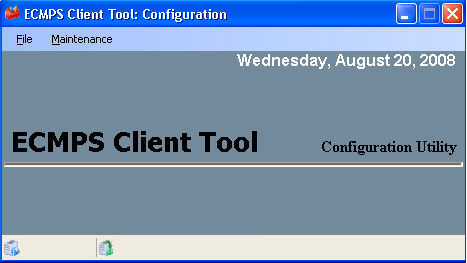
To access the user management utility, perform the following steps:
1) Close the Client Tool.
2) Navigate to start | all programs | ECmPS | ecmps client | ecmps configuration utility
3) From the top menu of the ecmps client tool configuration screen, select file | user management.
Tutorials: To watch various tutorials that briefly explain some of the main aspects of the ECMPS Client Tool, visit the ECMPS Support website.
Feedback: Did this help topic answer your question? Can it be improved? Click here to let us know.